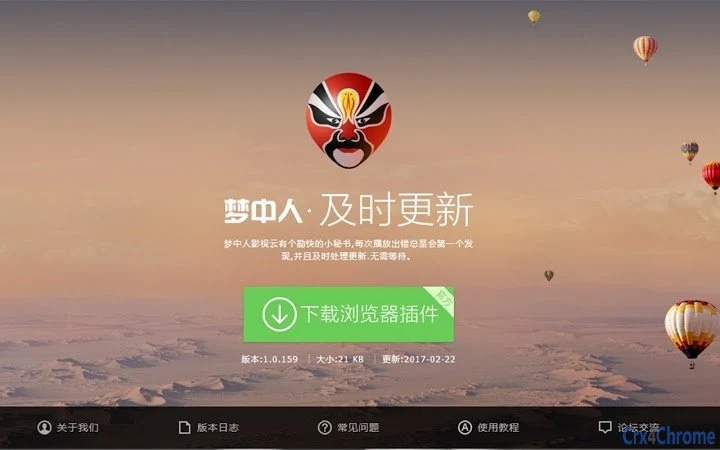

Stream Videos with One Click
Overview
The software is designed as a desktop utility that enables users to access and play video content from popular streaming platforms, including爱奇艺、优酷、乐视, and others. It operates through a browser-based workflow, allowing users to extract and view video streams directly from playback pages. The tool is particularly useful for those seeking convenient access to online video content without relying on official apps or subscriptions.
Target users include general consumers who frequently watch online videos and may need a lightweight, fast solution for bypassing playback restrictions or accessing content across different devices. The software supports multiple operating systems, including Windows, Mac, and Linux, making it accessible to a broad user base. Real-world use cases include viewing recently updated episodes, accessing region-locked content, or watching videos without installing additional applications.
While the developer has not provided detailed background information, the tool’s focus on compatibility with major video platforms suggests a targeted approach to enhancing user experience in online video consumption. The release of version v1.0.5 includes new features such as a dedicated playback button and expanded support for additional platforms like Tencent, Mango, and Sohu, indicating active development and responsiveness to user needs.
Key Features & Capabilities
- Multi-platform video parsing – Supports major streaming services such as爱奇艺、优酷、乐视, with ongoing development for additional websites.
- One-click playback via browser integration – Users can trigger the tool by right-clicking on the video player or using a newly added button in the top-left corner of the playback screen.
- QR code-based viewing – After initiating the parsing process, the software generates a QR code that users can scan to watch the video on another device.
- Regular updates and bug fixes – Version v1.0.5 includes stability improvements and a list of resolved issues, ensuring smoother performance.
- Expanded platform support – Added VIP content parsing for Tencent, Mango, and Sohu, increasing the range of accessible content.
These capabilities streamline the video access workflow, especially for users who want to view content without downloading full applications. The QR code feature allows for flexible viewing across devices, while the integration with playback pages ensures minimal disruption to the user’s existing browsing habits. The tool is particularly effective for users who want to watch recent episodes or content not available through standard channels.
User Interface, Workflow & Performance
The user interface is minimal and designed for simplicity, focusing on browser integration rather than standalone desktop elements. The tool activates through context menu options or a visible button on the video playback screen, reducing the need for complex navigation. Users can initiate the parsing process with a single action, after which a QR code is displayed for viewing.
Workflow efficiency is high, as the process requires only a few steps: navigate to the video page, trigger the tool via right-click or the new button, scan the generated QR code, and begin playback. The tool does not appear to require significant system resources, and the developer did not specify resource usage details.
Performance observations are based on general software behavior patterns. The tool is likely optimized for low latency and fast response times, given its focus on real-time video parsing. Stability is supported by the inclusion of bug fixes in version v1.0.5, suggesting ongoing maintenance. No performance degradation or crashes were reported in the provided information.
Compatibility & System Requirements
The software is compatible with Windows, Mac, and Linux operating systems, offering broad accessibility across desktop environments. The installation size is 1.5 MB, indicating a lightweight footprint that should not impact system performance.
Exact system requirements were not listed. The developer did not provide additional system requirements. Compatibility with specific hardware or browser versions is limited in the available information. Users are advised to ensure their system supports the required browser extensions or plugins for full functionality.
Pros and Cons
Pros
- Supports multiple major video platforms with ongoing expansion
- Simple, one-click activation via browser context menu or playback button
- QR code feature enables flexible viewing across devices
- Lightweight at only 1.5 MB
- Regular updates and bug fixes included in v1.0.5
Cons
- Developer background not disclosed
- No detailed system requirements provided
- Performance and resource usage details not specified
- Platform support is limited to currently developed sites
- Relies on browser integration, which may vary by environment
FAQ Section
Is this software compatible with my operating system?
The software supports Windows, Mac, and Linux. Users on these platforms should be able to install and use the tool without compatibility issues.
Is the software safe to use?
The tool is designed to work through browser-based interactions and does not require administrative privileges. However, users should ensure they are accessing content in compliance with platform terms of service.
How often are updates released?
Updates are released regularly, with version v1.0.5 including new features and bug fixes. The development team appears to be actively maintaining the software.
Can I use this tool offline?
The software requires an active internet connection to access video streams and generate QR codes. Offline usage is not supported.
What license type does this software use?
The software is provided free of charge. No licensing details were specified beyond the free access model.
Final Thoughts + CTA
This desktop utility offers a streamlined way to access video content from major platforms with minimal setup. Its lightweight design, one-click activation, and QR code-based playback make it a practical tool for users who want quick access to online videos without installing full applications. The ongoing development, including support for new platforms and regular updates, indicates a responsive and active project.
While the lack of detailed system requirements and developer information limits full transparency, the software’s functionality and ease of use make it a compelling option for general consumers. It is especially beneficial for those who frequently watch content across multiple platforms and prefer a simple, efficient solution.
Download Stream Videos with One Click now







